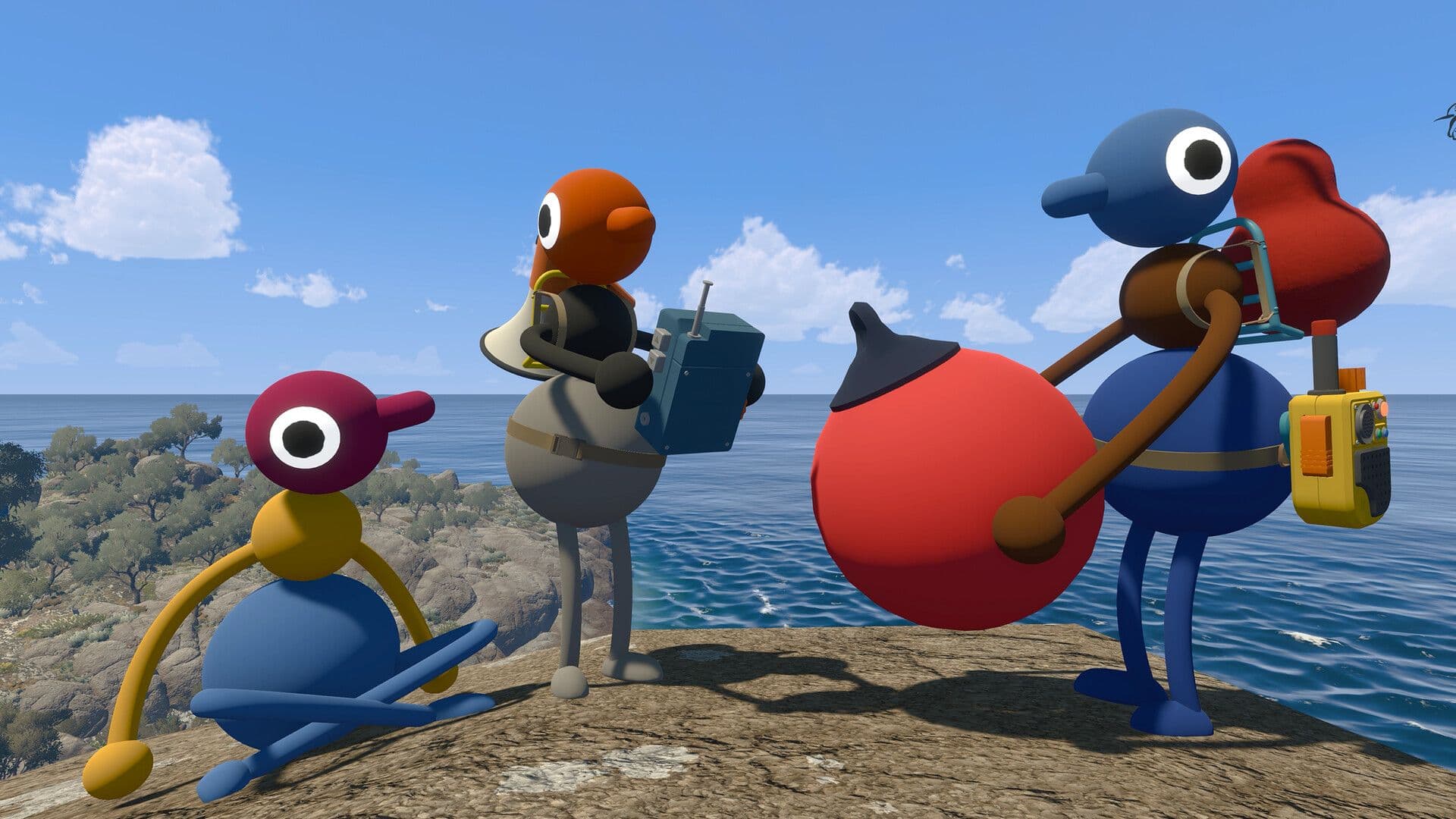
Big Walk is not a traditional multiplayer game where everyone runs off, completes separate objectives and talks through a permanent team channel. It is a cooperative adventure built around staying together, getting lost and finding creative ways to communicate.
That makes your first session important. A little preparation can prevent technical confusion, protect your group’s progress and help everyone experience Big Walk as intended.
This spoiler-light beginner guide explains how hosting works, how many people can play, how to join friends across different platforms and which habits will make your first expedition more enjoyable.
Big Walk quick answers
| Question | Answer |
|---|---|
| How many people can play? | 2-12 players |
| Can you play solo? | You can walk around briefly, but the adventure is designed for multiplayer |
| Does Big Walk have crossplay? | Yes |
| Is there random matchmaking? | No |
| Is a microphone required? | No; proximity-based text chat is also available |
| Who stores the save? | The host |
| Does progress save automatically? | Yes |
| Which platforms are supported? | Windows, Mac, PlayStation 5 and Nintendo Switch 2 |
Big Walk is available on Steam for Windows and Mac, the Mac App Store, PlayStation 5 and Nintendo Switch 2. It supports groups of two to twelve players, with crossplay between supported systems.
1. Choose your host carefully
Before anybody starts exploring, decide which player should host the session.
The host is the keeper of the group’s save. Big Walk automatically stores progress for the host, and that same person will generally need to host again when the group wants to continue its adventure.
When the host ends the session, everyone else is disconnected. For that reason, the best host is not necessarily the person with the fastest computer or the most gaming experience. Choose someone who:
- Is likely to attend most sessions
- Has a stable internet connection
- Can reliably organize the group
- Is comfortable being responsible for the main save
Changing which friend hosts later will not simply move the existing adventure to that person. Agreeing on a dependable host at the beginning can prevent a great deal of frustration.
2. Pick the right world version
Whenever the host starts a session, they choose one of three versions of the world:
- A two-player version
- A three-player version
- A four-or-more-player version
This choice is better understood as the minimum dependable group size, not the maximum number of friends who may join.
Suppose six people plan to play, but only three can attend every session. Choosing the three-player version may be safer than selecting four or more. Some parts of the world adapt to the selected group size, and your group should still be able to make progress when occasional players are absent.
There is no universally perfect group size. Two players create a focused cooperative experience, while a group approaching twelve becomes much more chaotic. Both are valid ways to play.
3. Join through your friends list or a Join Code
Players can normally connect to the host in one of two ways.
Platform friends list
When two players are friends on the same platform service, the active host session should appear in the available friends’ games menu.
Join Code
For cross-platform groups or players who are not connected through the same friends service, the host can share a Join Code.
A new code is generated when the host starts a session. Before entering the game, it appears in the corner of the host menu. After the session begins, the host can find it by opening the in-game menu and selecting Session Details.
Join Codes are also particularly important for the Mac App Store version, which does not use Game Center for displaying active friends’ games.
4. Do not use Discord as your main voice channel
In most cooperative games, opening Discord is sensible preparation. In Big Walk, it removes a central part of the game.
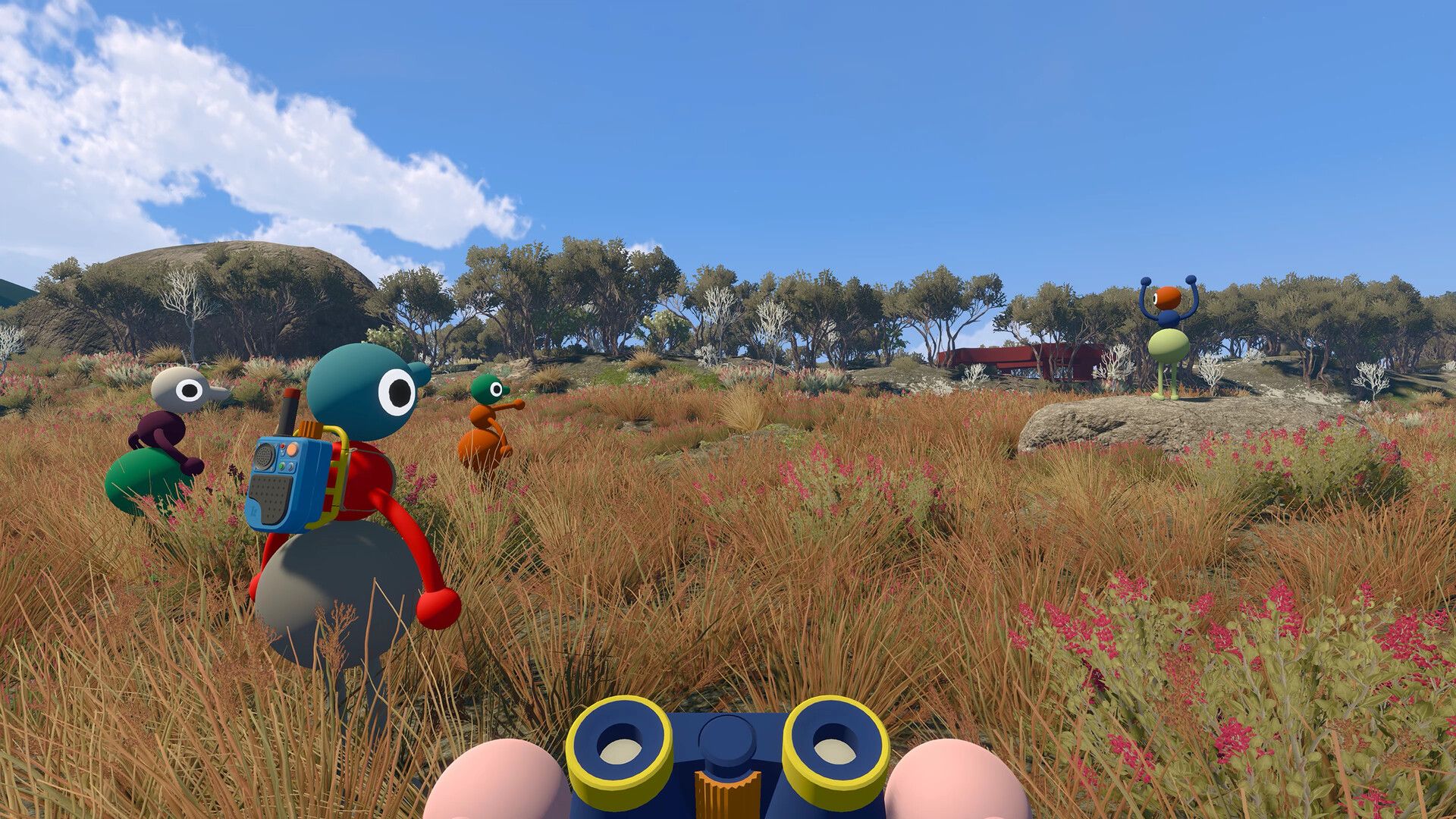
Big Walk’s voice system behaves like sound inside the world. Voices:
- Become quieter over distance
- Echo in corridors and enclosed spaces
- Become muffled by walls and terrain
- Crackle when transmitted through walkie-talkies
The resulting communication problems are intentional. You may lose contact with a friend, misunderstand an instruction or need to signal across a large distance without speaking. Solving those problems is part of the adventure.
An external voice call allows everyone to hear one another constantly. That can bypass puzzles, remove unexpected situations and make several communication tools unnecessary. Use the built-in chat unless your group has an accessibility reason to do otherwise.
5. You can play without a microphone
A microphone is encouraged, but it is not mandatory.
Big Walk includes text chat with the same intentional restrictions as voice chat. Messages may become unreadable when players are too far apart or separated by something that blocks sound. Text communication can also interact with tools such as walkie-talkies.
This means someone who cannot or prefers not to speak can still participate in the complete adventure. Voice and text can also be combined, allowing every member of the group to use the method that works best for them.
6. Test proximity chat before leaving
Spend the first few minutes learning how quickly communication changes with distance.
Stand beside another player and speak normally. Then slowly move away while continuing the conversation. Notice when their voice becomes quiet, unclear and finally impossible to hear.
This simple test teaches one of Big Walk’s most important lessons: being visually close is not always the same as being within useful speaking distance.
Testing your microphone early also gives everyone time to check their audio settings. In Settings > Audio, confirm that the microphone activity indicator responds when you speak. Check whether your mute control is configured as a hold or toggle action.
Finding an audio problem near the starting point is much easier than discovering it after half the group has disappeared over a hill.
7. Name landmarks instead of giving camera-based directions
Directions such as “turn left” or “look behind you” often fail in a first-person multiplayer game. Your friend may be facing a completely different direction.
Use visible landmarks instead:
- “Wait beside the red structure.”
- “Meet at the split tree.”
- “Go towards the tall tower.”
- “I’m below the large bridge.”
Give important locations short, memorable names as soon as the group finds them. Shared names create a basic vocabulary that becomes increasingly useful as the world opens up.
For larger groups, say the intended player’s name before giving an instruction. One clear message to a specific person works better than shouting a general request into a crowd.

8. Make a plan before splitting up
Staying together should be your group’s default behaviour, especially during the first session.
Some situations will require players to separate. Before that happens, agree on:
- Who is going where
- What each person is trying to find or activate
- Where everyone will meet again
- Which signal means “return now”
- What to do if communication is lost
Once players move out of speaking range, creating a new plan becomes much harder. A ten-second conversation before separating can prevent ten minutes of confused searching.
When possible, repeat important instructions back to the person giving them. Confirmation may sound unnecessary, but proximity effects and overlapping voices make misunderstandings common.
9. Match communication tools to the distance
Big Walk contains tools and toys that help players communicate in different situations.
Use ordinary speech when everyone is nearby. A megaphone can help project a voice across open ground, while a walkie-talkie is more suitable when teammates are farther away or out of sight.
Not every message requires words. A flare may reveal a player’s position, a cowbell can help gather nearby teammates and gestures can communicate simple intentions. Whiteboards are useful when a puzzle involves a sequence, drawing, code or complicated set of instructions.
Avoid turning every tool into background noise. Repeated flares, constant bell ringing and several people speaking over radios at once can make the group harder, not easier, to understand.
10. Configure controls and accessibility settings first
Big Walk supports both mouse and keyboard and game controllers. Controls can be changed under Settings > Rebinding.
Before starting the adventure, every player should check:
- Movement and interaction controls
- Mute or push-to-talk behaviour
- Text-chat input
- Controller sensitivity
- Crosshair preference
- Hold-versus-toggle options
- Field of view
The game also allows the host to enable challenge skipping through the accessibility menu when starting a session. This can be used when a challenge requires an ability that a player cannot comfortably provide, such as hearing, reading, speaking, typing, reacting quickly or performing precise inputs.
Skipping a challenge is an accessibility feature, not a failure. Enabling it before starting ensures the group has an option available if someone encounters an inaccessible section.
11. Try the motion-reduction options
Players who experience discomfort in first-person games should visit the settings menu before exploring.
Big Walk provides Motion Reduction Overlays under Settings > General. These add a visual overlay intended to help the player feel more grounded.
You can also adjust the field of view under Settings > Graphics. The official guidance suggests trying a higher field-of-view value, which allows more of the surroundings to remain visible and may reduce feelings of claustrophobia or motion sickness.
Make changes gradually and test them close to the beginning of the game. A comfortable setup is more important than using the default presentation.
12. Treat mistakes as part of the adventure
Big Walk’s communication system is designed to produce imperfect plans.
Someone will misunderstand a landmark. A teammate will wander out of speaking range. A carefully explained strategy will collapse because several players begin talking simultaneously.
That does not necessarily mean your group is playing badly. Miscommunication is one of the systems creating Big Walk’s funniest and most memorable situations.
Try to avoid solving every problem as efficiently as possible. The game has a complete beginning, middle and ending, but its world is also intended to be a place where friends can spend time together. There is no need to race through every discovery.
First-session checklist
Before beginning your first Big Walk, confirm that:
- At least two players are available
- The group has selected a dependable host
- The host has chosen an appropriate world version
- Cross-platform players have received the Join Code
- Everyone has checked their microphone or text chat
- External voice-chat software is disabled
- Controls and accessibility settings have been reviewed
- Motion-reduction settings have been tested where necessary
- The group understands that progress belongs to the host
- Everyone knows that getting lost is part of the experience
Frequently asked questions
Can you play Big Walk solo?
Big Walk does not have a full single-player mode. A person can start a session and walk around, but cooperative challenges prevent meaningful progression without at least one other player.
How many players does Big Walk support?
A session supports between two and twelve players. The host selects a world designed around two, three or four-or-more participating players.
Does Big Walk support crossplay?
Yes. Players on supported systems can join the same session, including Windows, Mac, PlayStation 5 and Nintendo Switch 2 players.
Does Big Walk have matchmaking?
No. There is no random online matchmaking. The game is designed for a group that returns to the same adventure over multiple sessions.
Does every player need a microphone?
No. Big Walk supports proximity-based text chat with similar features and restrictions to its voice system.
What happens when the host leaves?
The session ends and the other players are disconnected. Progress is saved automatically by the host.
Can another player continue without the original host?
Not from the same hosted adventure. To resume the group’s existing progress, the player who holds the save needs to host again.
Can friends play in the same room?
House House recommends avoiding this because players would hear each other outside the game’s proximity system. People in the same home can play from separate rooms and devices so that communication still passes through the game.
Does Big Walk have an ending?
Yes. It is a handcrafted cooperative adventure with a beginning, middle and end. The world can still be used as a relaxed place to spend time with friends afterwards.
Final beginner advice
The most useful Big Walk tip is simple: do not try to remove every inconvenience.
Stay close enough to communicate, make plans before separating and learn which tools help at different distances, but allow some plans to fail. Big Walk turns being lost, misunderstood and reunited into the adventure itself.
Choose a reliable host, use the built-in chat and set out with friends who are willing to be patient. The rest is best discovered together.