
All games
Purrtopia
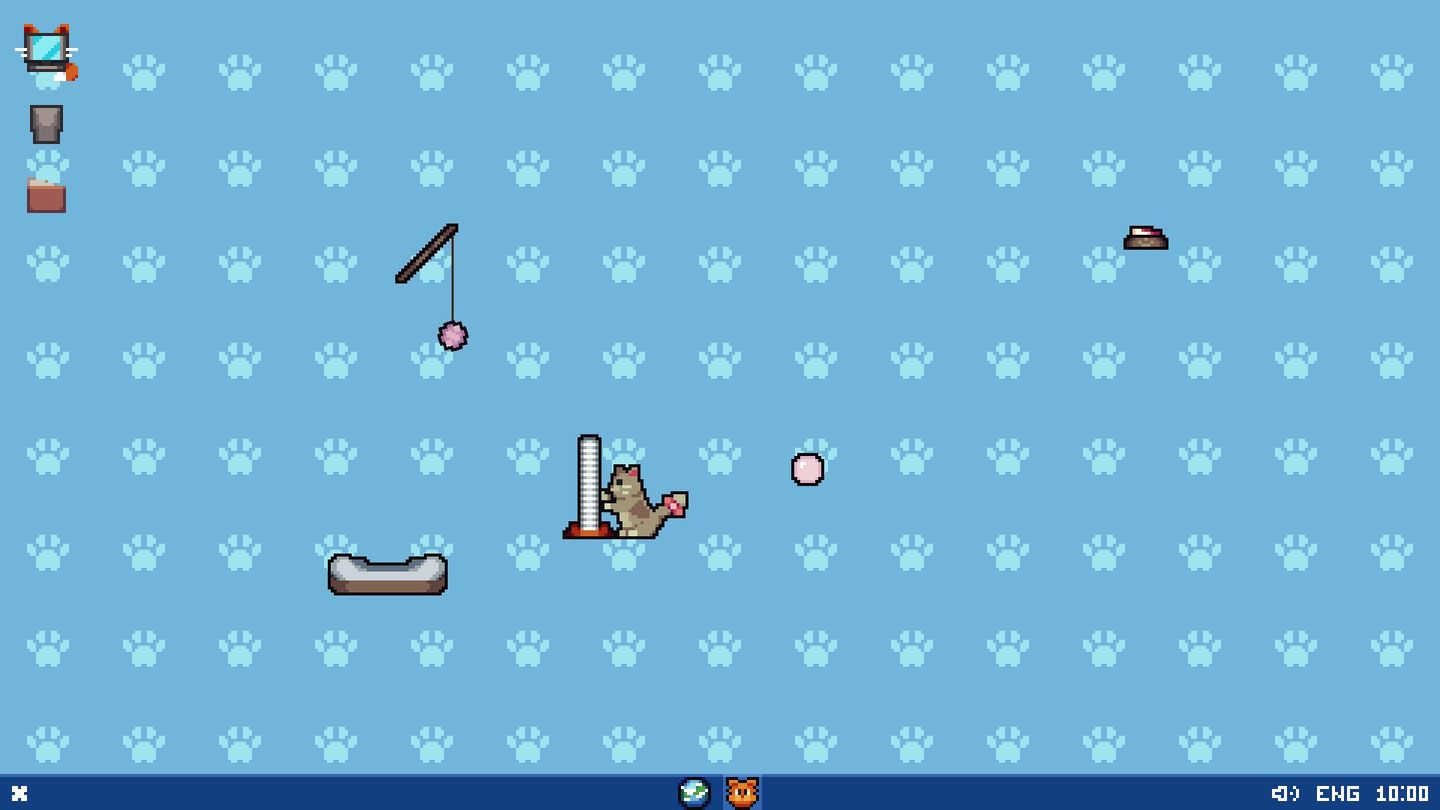
A charming pixel cat lives right on your desktop: wandering across your windows, eating, sleeping, and playing. Care for your cat, dress them up, and watch their own personality and habits emerge.
by Hotgaze · 1 article · covered since Aug 9, 2026
Not rated yet
Purrtopia news
What do you think?
Community tags
Reader opinion, not Steam's tags. Shown publicly once 3 people agree.
Purrtopia trailer
Purrtopia screenshots
Purrtopia system requirements
Windows
Minimum
- Minimum
- Requires a 64-bit processor and operating system
- OS
- Windows 10 64-bit
- Processor
- Intel Pentium G3220 / AMD Athlon X4 or equivalent
- Memory
- 1 GB RAM
- Graphics
- Intel HD Graphics 4000 or DirectX 11 compatible GPU
- DirectX
- Version 11
- Storage
- 300 MB available space
- Sound Card
- Windows compatible sound card
- Additional Notes
- Desktop overlay performance may vary on very old integrated GPUs.
Recommended
- Recommended
- Requires a 64-bit processor and operating system
- OS
- Windows 10/11 64-bit
- Processor
- Intel Core i3-6100 / AMD FX-6300 or equivalent
- Memory
- 2 GB RAM
- Graphics
- Intel HD Graphics 520 / NVIDIA GeForce GTX 750 or equivalent
- DirectX
- Version 11
- Storage
- 300 MB available space
- Sound Card
- Windows compatible sound card
- Additional Notes
- Recommended for smooth desktop overlay use.
| Minimum | Recommended | |
|---|---|---|
| Windows | Requires a 64-bit processor and operating system | Requires a 64-bit processor and operating system |
| OS | Windows 10 64-bit | Windows 10/11 64-bit |
| Processor | Intel Pentium G3220 / AMD Athlon X4 or equivalent | Intel Core i3-6100 / AMD FX-6300 or equivalent |
| Memory | 1 GB RAM | 2 GB RAM |
| Graphics | Intel HD Graphics 4000 or DirectX 11 compatible GPU | Intel HD Graphics 520 / NVIDIA GeForce GTX 750 or equivalent |
| DirectX | Version 11 | Version 11 |
| Storage | 300 MB available space | 300 MB available space |
| Sound Card | Windows compatible sound card | Windows compatible sound card |
| Additional Notes | Desktop overlay performance may vary on very old integrated GPUs. | Recommended for smooth desktop overlay use. |
macOS
Minimum
- OS
- macOS 12 Monterey
- Processor
- Apple M1 or Intel Core i3
- Memory
- 1 GB RAM
- Graphics
- Metal compatible GPU
- Storage
- 300 MB available space
- Sound Card
- macOS compatible sound card
- Additional Notes
- Desktop overlay performance may vary on older Intel Macs.
Recommended
- OS
- macOS 13 Ventura or newer
- Processor
- Apple M1 or Intel Core i5
- Memory
- 2 GB RAM
- Graphics
- Apple Silicon GPU or Metal compatible dedicated GPU
- Storage
- 300 MB available space
- Sound Card
- macOS compatible sound card
- Additional Notes
- Recommended for smooth desktop overlay use.
| Minimum | Recommended | |
|---|---|---|
| OS | macOS 12 Monterey | macOS 13 Ventura or newer |
| Processor | Apple M1 or Intel Core i3 | Apple M1 or Intel Core i5 |
| Memory | 1 GB RAM | 2 GB RAM |
| Graphics | Metal compatible GPU | Apple Silicon GPU or Metal compatible dedicated GPU |
| Storage | 300 MB available space | 300 MB available space |
| Sound Card | macOS compatible sound card | macOS compatible sound card |
| Additional Notes | Desktop overlay performance may vary on older Intel Macs. | Recommended for smooth desktop overlay use. |
Linux
Minimum
- OS
- SteamOS 3.0 / Ubuntu 22.04 64-bit
- Processor
- Intel Core i3-6100 / AMD FX-6300 or equivalent
- Memory
- 1 GB RAM
- Graphics
- OpenGL 3.2+ or Vulkan compatible GPU
- Storage
- 300 MB available space
- Sound Card
- Linux compatible sound card
- Additional Notes
- Desktop overlay features may vary depending on X11, Wayland, and SteamOS desktop mode.
Recommended
- OS
- SteamOS 3.0 / Ubuntu 22.04 64-bit or newer
- Processor
- Intel Core i5-8400 / AMD Ryzen 3 1200 or equivalent
- Memory
- 2 GB RAM
- Graphics
- Vulkan compatible GPU
- Storage
- 300 MB available space
- Sound Card
- Linux compatible sound card
- Additional Notes
- Recommended for smoother desktop overlay use.
| Minimum | Recommended | |
|---|---|---|
| OS | SteamOS 3.0 / Ubuntu 22.04 64-bit | SteamOS 3.0 / Ubuntu 22.04 64-bit or newer |
| Processor | Intel Core i3-6100 / AMD FX-6300 or equivalent | Intel Core i5-8400 / AMD Ryzen 3 1200 or equivalent |
| Memory | 1 GB RAM | 2 GB RAM |
| Graphics | OpenGL 3.2+ or Vulkan compatible GPU | Vulkan compatible GPU |
| Storage | 300 MB available space | 300 MB available space |
| Sound Card | Linux compatible sound card | Linux compatible sound card |
| Additional Notes | Desktop overlay features may vary depending on X11, Wayland, and SteamOS desktop mode. | Recommended for smoother desktop overlay use. |
Purrtopia FAQ
- When does Purrtopia release?
- Purrtopia is scheduled to release 3 Nov, 2026 on Steam.
- What platforms is Purrtopia on?
- Purrtopia is available on PC via Steam.
- Who develops Purrtopia?
- Purrtopia is developed by Hotgaze.
- What kind of game is Purrtopia?
- Purrtopia is a casual, indie, simulation game.
- What are the minimum system requirements for Purrtopia?
- Purrtopia minimum requirements: Requires a 64-bit processor and operating system OS: Windows 10 64-bit Processor: Intel Pentium G3220 / AMD Athlon X4 or equivalent Memory: 1 GB RAM Graphics: Intel HD Graphics 4000 or DirectX 11 compatible GPU DirectX: Version 11 Storage: 300 MB available space Sound Card: Windows compatible sound card Additional Notes: Desktop overlay performance may vary on very


